# ラベル文字をJavaScriptで設定

コンポーネントのラベルのラベル文字をJavaScriptで設定することができます。

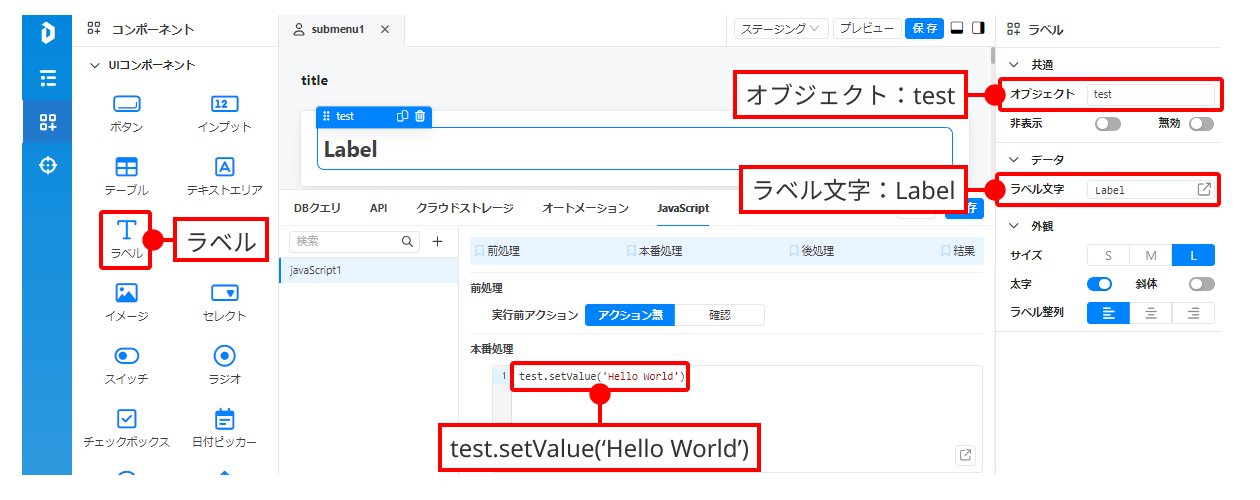
<figure><img src="/files/E90wBhBoPNvQzSH8ov0K" alt=""><figcaption></figcaption></figure>

* ラベルコンポーネントをドラッグアンドドロップで設置します。
* オブジェクトに任意のオブジェクト名を入力（ここではtestとしている）します。
* ラベル文字に任意のテキストを入力（デフォルトではLabel）します。
* 設定したいラベル文字を本番処理にJavaScriptで入力します。\
  例として test.setValue('Hello World')とします。

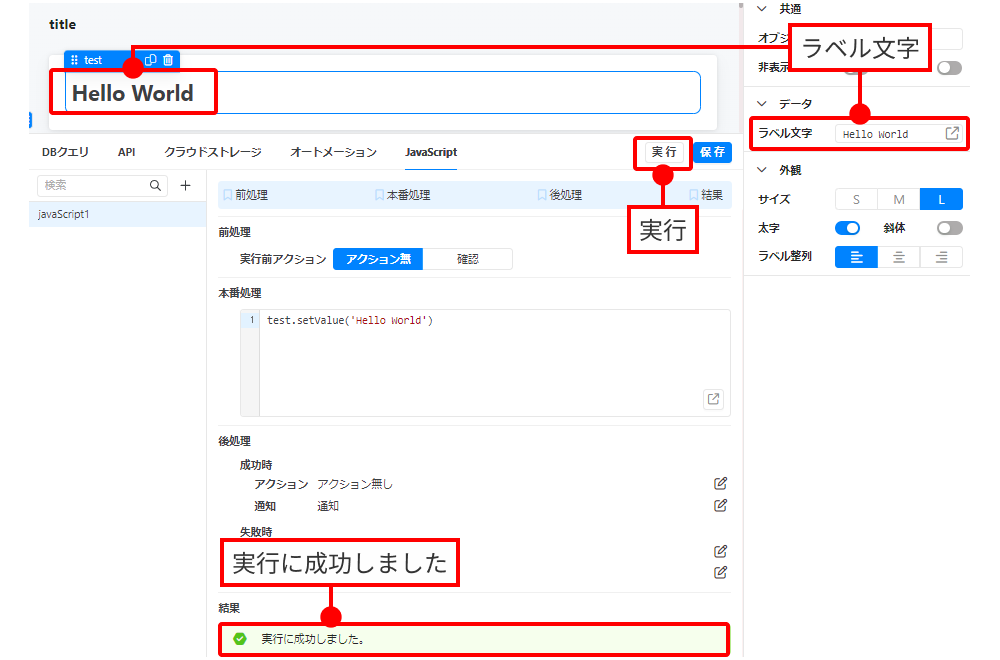
<figure><img src="/files/G5G4t3uFpAO3h6hzBgHv" alt=""><figcaption></figcaption></figure>

実行ボタンを押下し「実行に成功しました」が表示され、ラベル文字が変更されます。

---

# Agent Instructions: Querying This Documentation

If you need additional information that is not directly available in this page, you can query the documentation dynamically by asking a question.

Perform an HTTP GET request on the current page URL with the `ask` query parameter:

```
GET https://docs.dashcomb.com/dashcomb-help-center/tips-and-tricks/raberuwojavascriptde.md?ask=<question>
```

The question should be specific, self-contained, and written in natural language.
The response will contain a direct answer to the question and relevant excerpts and sources from the documentation.

Use this mechanism when the answer is not explicitly present in the current page, you need clarification or additional context, or you want to retrieve related documentation sections.