> For the complete documentation index, see [llms.txt](https://docs.dashcomb.com/dashcomb-help-center/llms.txt). Markdown versions of documentation pages are available by appending `.md` to page URLs; this page is available as [Markdown](https://docs.dashcomb.com/dashcomb-help-center/ide/property-region/tekisutokdoedita.md).

# テキスト/コードエディタ

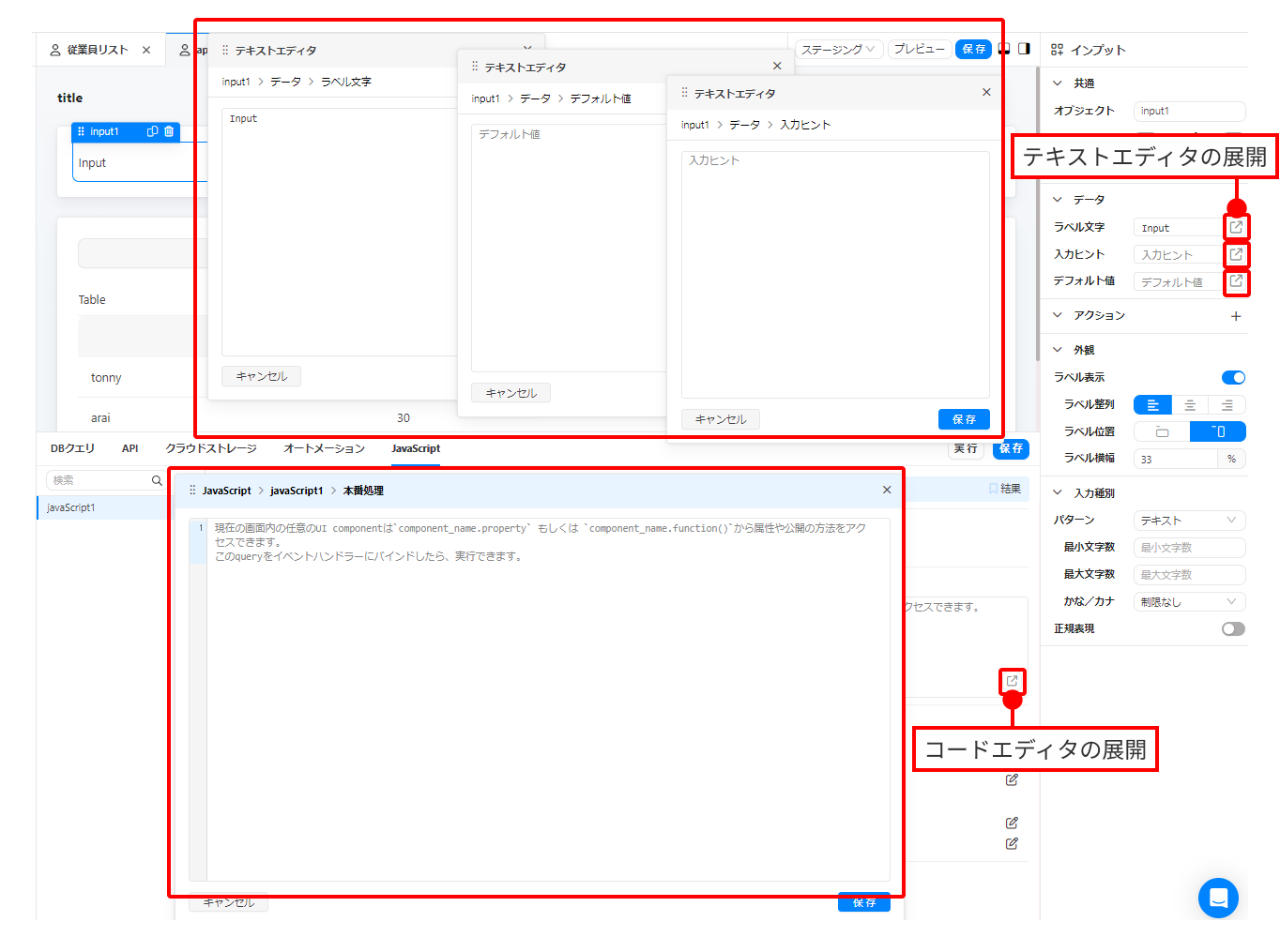
テキストエディタやコードエディタを複数開きマルチウィンドウで編集ができます。

<figure><img src="https://3498714457-files.gitbook.io/~/files/v0/b/gitbook-x-prod.appspot.com/o/spaces%2FgIESKBveovlGvQ1BqYEP%2Fuploads%2Fgit-blob-fafb3702238e2b47a0a7556e7d7cc376d7ab3694%2F%E6%96%87%E5%AD%97%E3%82%84%E3%82%B3%E3%83%BC%E3%83%89%E3%81%AE%E3%82%A8%E3%83%87%E3%82%A3%E3%82%BF%E3%82%92%E8%A4%87%E6%95%B0%E5%90%8C%E6%99%82%E3%81%AB%E9%96%8B%E3%81%8F.png?alt=media" alt=""><figcaption></figcaption></figure>

Inputなどのコンポーネントを選択し、右側のプロパティパネルの<img src="https://3498714457-files.gitbook.io/~/files/v0/b/gitbook-x-prod.appspot.com/o/spaces%2FgIESKBveovlGvQ1BqYEP%2Fuploads%2Fgit-blob-bf2b2a2112d9bea221c44e20f2c4db36faa2badd%2F%E5%B1%95%E9%96%8B%E3%82%A2%E3%82%A4%E3%82%B3%E3%83%B3.png?alt=media" alt="展開アイコン.png" data-size="line">展開アイコンをクリックするとエディタが展開されます。

同時に複数のエディタを開くことができます。

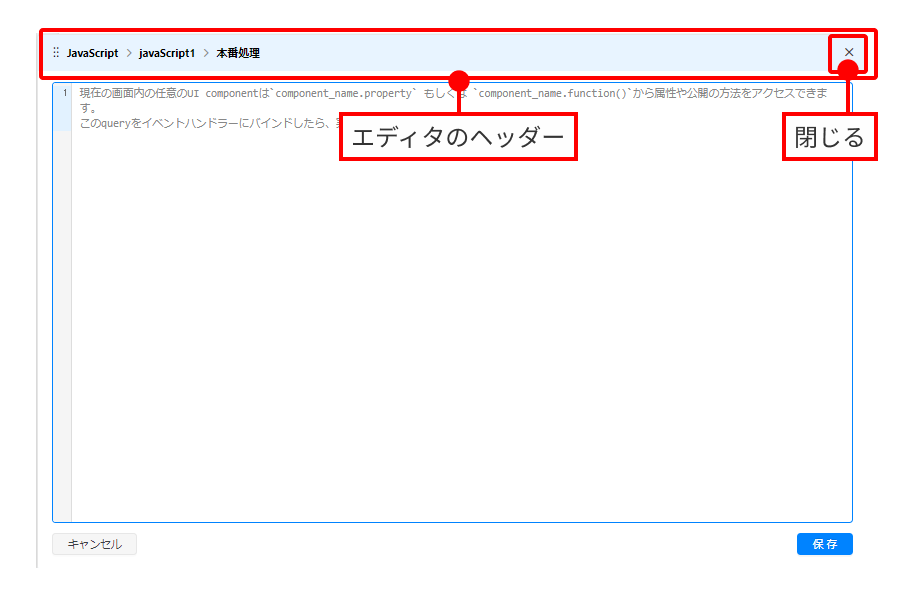
アクティブなエディタはヘッダー部分が水色になります。ヘッダー部分をつかんで任意の位置に移動も可能です。
<figure><img src="https://3498714457-files.gitbook.io/~/files/v0/b/gitbook-x-prod.appspot.com/o/spaces%2FgIESKBveovlGvQ1BqYEP%2Fuploads%2Fgit-blob-085d85d48d1eccbc00183eb4d764ed75f59d3cec%2F%E3%82%A8%E3%83%87%E3%82%A3%E3%82%BF.png?alt=media" alt=""><figcaption></figcaption></figure>